
2026年10月8日にReactのuseState、useEffect、Custom HooksガイドとMDN localStorageを再確認した。state setterは現在のrenderの値を書き換えず更新をキューへ積み、直前値に依存する場合は関数形で扱う。Effectの取得では古い応答、HTTP異常、形不正、cleanupを区別し、Custom Hookはロジックを共有しても呼出し間のstateを自動共有しない。localStorageはorigin単位の文字列保存で利用不能になり得るため、SSR初期表示、型検証、保存失敗、鍵固定、秘密情報を別の契約として確認する。
React Hooksは、画面の状態と外部との同期を扱う仕組みです。カスタムフックに切り出す前に「何を入力にし、いつ終了し、何を返すか」を決めると、短いコードでも失敗時の動きを追いやすくなります。
30秒で要点:フック設計の確認点
- 直前の状態から更新する場合は関数形を使い、更新要求と現在の値を区別する。
- データ取得ではHTTPエラー、形の不正、古い応答を別に扱う。
- 再利用するのは振る舞い。呼出し間の状態共有、永続化、キャッシュは別に設計する。
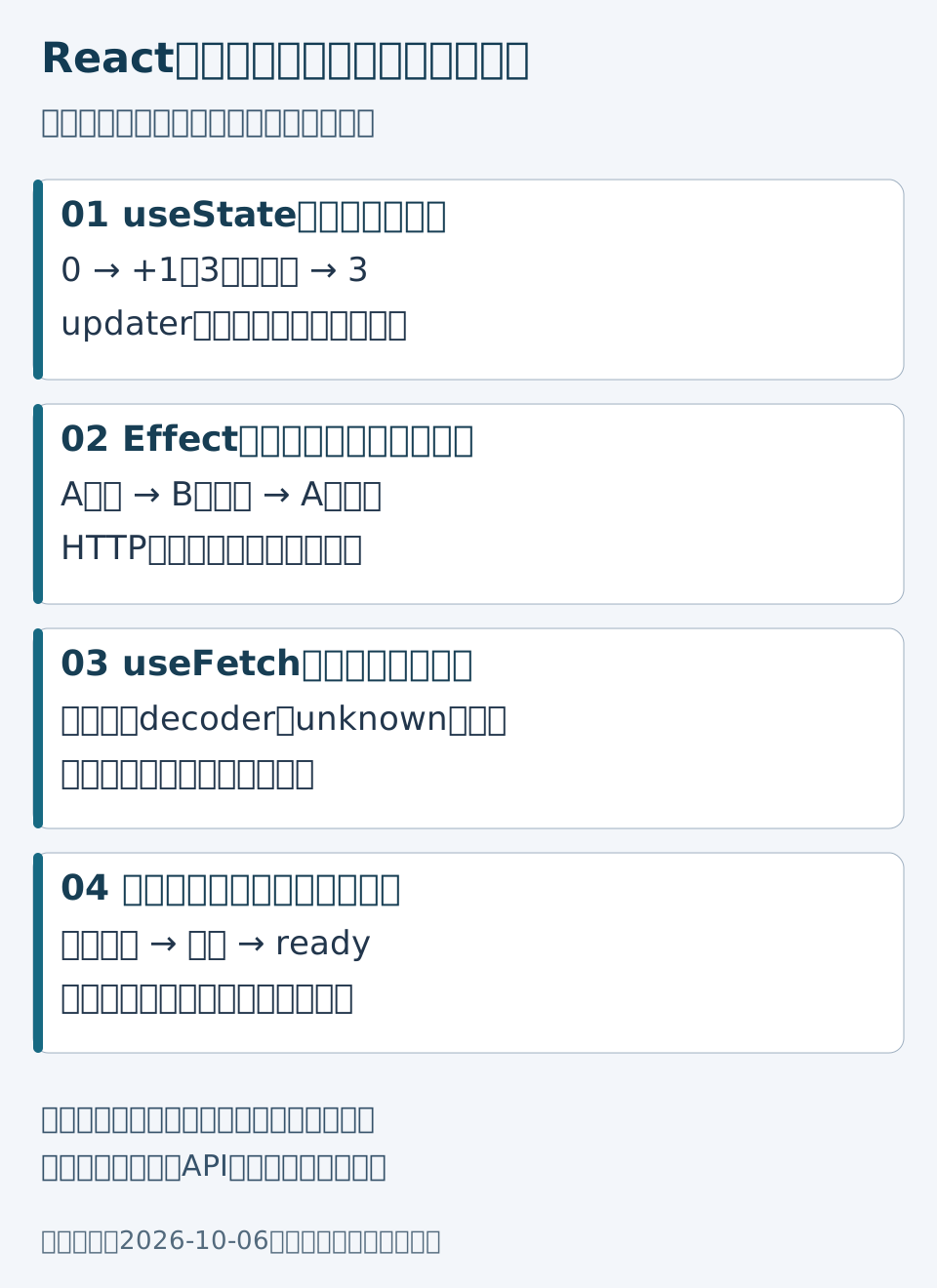
useState:更新要求をキューへ入れる
次は独立したCounter.tsxです。+1と+3を並べることで、更新前の同じ値を繰り返し渡す場合との違いを確認できます。
import { useState } from 'react';

export function Counter() {
  const [count, setCount] = useState(0);
  return <div>
    <p>回数: {count}</p>
    <button onClick={() => setCount(n => n + 1)}>+1</button>
    <button onClick={() => {
      setCount(n => n + 1);
      setCount(n => n + 1);
      setCount(n => n + 1);
    }}>+3</button>
  </div>;
}初期値0から+3なら3です。一方、同じイベント内でsetCount(count + 1)を3回呼ぶと、各要求は同じrenderの値を参照するため、3増える計算にはなりません。setterの直後に変数を読むことを「更新後の確認」に使わないでください。updaterは純粋な計算にし、通信や保存を入れません。ReactのuseStateリファレンス
useEffect:通信を始めた画面へだけ結果を戻す
次のDataFetcher.tsxは、GETで{ "name": "架空の商品" }が返る教材です。フックは条件分岐の外側で呼び、URL変更とアンマウントを終了条件にします。
import { useEffect, useState } from 'react';

type View = { url: string; message: string };
export function DataFetcher({ url }: { url: string }) {
  const [view, setView] = useState<View>({ url: '', message: '' });
  useEffect(() => {
    let active = true;
    const controller = new AbortController();
    setView({ url, message: '読込中' });
    (async () => {
      try {
        const r = await fetch(url, { signal: controller.signal });
        if (!r.ok) throw new Error(`HTTP ${r.status}`);
        const x: unknown = await r.json();
        if (!x || typeof x !== 'object' || !('name' in x) ||
            typeof x.name !== 'string') throw new Error('データ形式が不正');
        if (active) setView({ url, message: x.name });
      } catch (e) {
        if (active) setView({ url, message: e instanceof Error ? e.message : '取得失敗' });
      }
    })();
    return () => { active = false; controller.abort(); };
  }, [url]);
  return <p role="status">{view.url === url ? view.message : '読込中'}</p>;
}
URL Aの応答が遅れている間にBへ切り替えても、Aの結果でBを上書きしない契約です。abortに加えactiveで反映先を制限します。URLが変わった最初のrenderも古い表示を出さないよう、結果とURLを組にしました。手動取得にはこのほか再利用・再試行・サーバー描画の設計が必要です。ReactのEffectによる取得例とcleanup
カスタムフック:型引数だけで通信内容を信用しない
useFetch.tsでは、レスポンスをunknownとして受け、呼出し元のdecoderで確認します。Tという型注釈だけでは通信内容を検証できません。
import { useEffect, useState } from 'react';

type Result<T> = { url: string; loading: boolean; data: T | null; error: string | null };
export function useFetch<T>(url: string, decode: (x: unknown) => T) {
  const [result, setResult] = useState<Result<T>>({ url: '', loading: true, data: null, error: null });
  useEffect(() => {
    let active = true;
    const controller = new AbortController();
    setResult({ url, loading: true, data: null, error: null });
    (async () => {
      try {
        const r = await fetch(url, { signal: controller.signal });
        if (!r.ok) throw new Error(`HTTP ${r.status}`);
        const data = decode(await r.json());
        if (active) setResult({ url, loading: false, data, error: null });
      } catch (e) {
        if (active) setResult({ url, loading: false, data: null,
          error: e instanceof Error ? e.message : '取得失敗' });
      }
    })();
    return () => { active = false; controller.abort(); };
  }, [url, decode]);
  return result.url === url ? result : { url, loading: true, data: null, error: null };
}

// module直下で定義し、renderごとに別の関数を作らない。
export function decodeName(x: unknown): { name: string } {
  if (!x || typeof x !== 'object' || !('name' in x) || typeof x.name !== 'string') {
    throw new Error('nameが文字列ではありません');
  }
  return { name: x.name };
}呼出し例はuseFetch('/api/example', decodeName)です。decoderを毎renderで作ると依存値が変わり、意図しない取得の繰返しにつながります。2つのコンポーネントから呼べば、ここでは2つの状態と取得になります。共有キャッシュが必要なら、その所有者と期限を別に設計します。カスタムフックは状態ではなくロジックを共有する
localStorage:初期描画と保存の責任を分ける
次は文字列専用のuseLocalStorage.tsです。マウント中は同じkeyを使う契約です。鍵を変える画面ではコンポーネントを別のkeyで再マウントしてください。SSRと最初のブラウザーrenderは同じ初期値にし、その後で保存値を読みます。
import { useEffect, useState } from 'react';

export function useLocalStorage(key: string, initialValue: string) {
  const [fixed] = useState({ key, initialValue });
  const [value, setValue] = useState(initialValue);
  const [status, setStatus] = useState<'loading' | 'ready' | 'unavailable'>('loading');
  useEffect(() => {
    try {
      const raw = window.localStorage.getItem(fixed.key);
      if (raw !== null) {
        const parsed: unknown = JSON.parse(raw);
        if (typeof parsed !== 'string') throw new Error('保存値の型が不正');
        setValue(parsed);
      }
      setStatus('ready');
    } catch { setStatus('unavailable'); }
  }, [fixed]);
  function save(next: string) {
    if (status !== 'ready') return false;
    try {
      window.localStorage.setItem(fixed.key, JSON.stringify(next));
      setValue(next);
      return true;
    } catch { setStatus('unavailable'); return false; }
  }
  return { value, status, save };
}読込前や保存できない状態では、呼出し側が保存ボタンを無効にし、再読込や別の保存方法を案内します。save('新しい値')へ確定した文字列を渡し、戻り値falseを成功表示にしません。壊れた既存値を自動で初期値へ上書きしない設計です。保存後の別タブ同期やログアウト時の消去は未実装で、認証情報の保管には使いません。localStorageの範囲と例外
切り出す前に埋める設計票
表が収まらない場合は、横にスクロールできます
| 対象 | 入力と終了 | 返却・失敗 | 確認する例 |
|---|---|---|---|
| カウンター | クリック | 次の回数 | 0から+3で3 |
| 取得 | URL・decoder、cleanupで終了 | 読込中・値・エラー | AよりBが先に返る |
| 保存 | 固定鍵・文字列 | readyのみ保存、失敗はfalse | 型不正・保存拒否 |
最初は一つの画面で正常系と失敗系を書き、同じ振る舞いが必要になったら共通化します。短さより、利用側が読込中・失敗・再操作を説明できることを採用条件にしてください。本文の実装は著者作成の教材で、外部APIや実利用ブラウザーの受入試験を代替しません。