
PrismaとSupabaseを組み合わせるときは、先に「誰が、どの接続経路で、何を変更できるか」を決めます。Prismaはアプリケーションからの問い合わせを扱うORMで、SupabaseはPostgreSQLや認証などの機能を提供します。両者を導入しただけで、利用者ごとの権限制御まで完成するわけではありません。
30秒で要点
- 教材はPrisma ORM 7を対象にします。旧版の設定例と混ぜず、生成先・接続設定・アダプターをそろえます。
- 通常の問い合わせとスキーマ変更では、接続先と必要権限が異なります。接続文字列はサーバー側だけで扱います。
- User/Postの作成・関連付け・公開記事の取得を順に確認します。外部DBへの接続やマイグレーションの成功は、この教材の検証範囲に含みません。
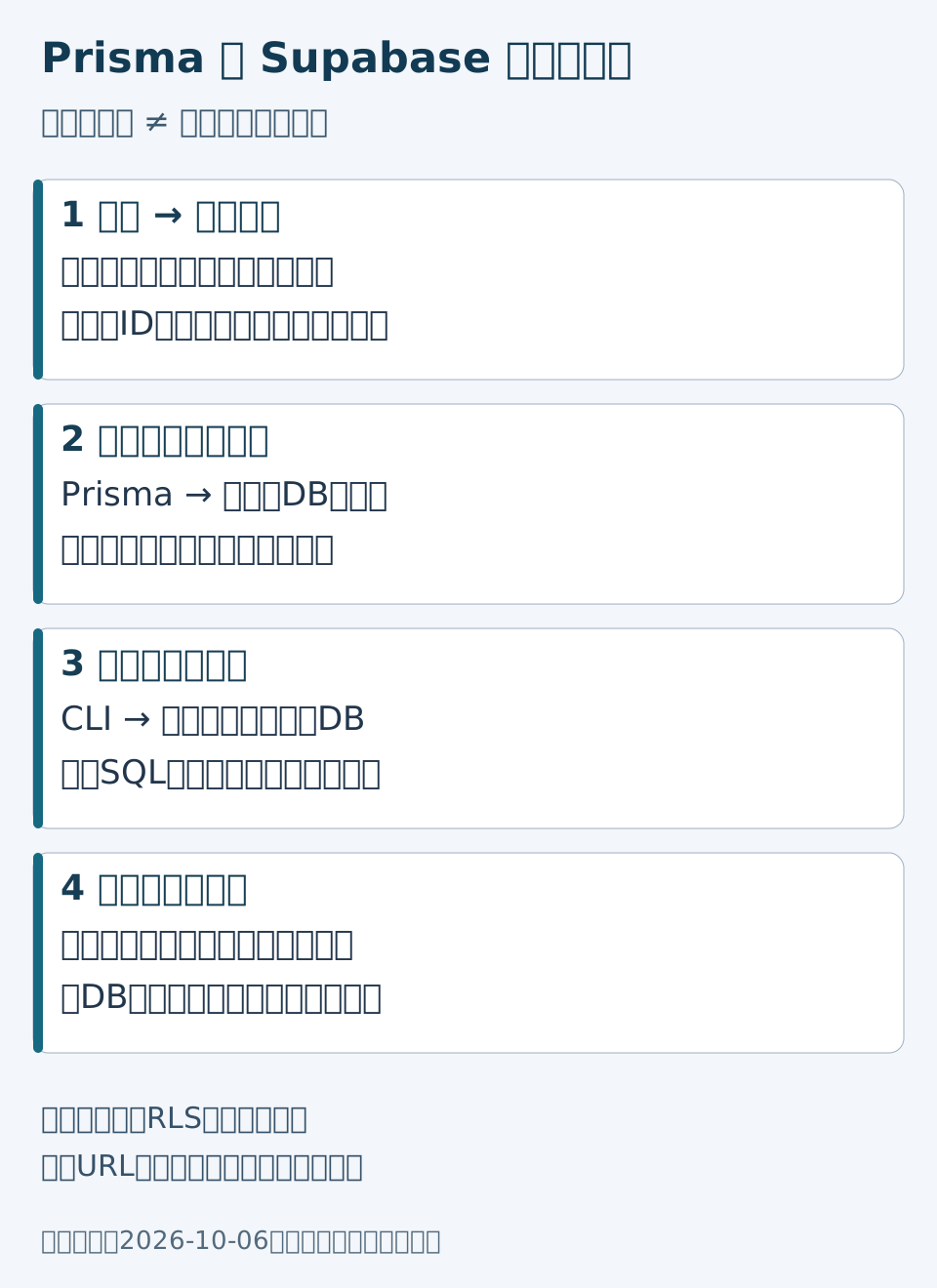
接続より先に責任範囲を分ける
架空の社内記事システムを考えます。画面から届いた「投稿者ID」をそのまま信用せず、認証済みセッションから利用者を特定し、その人に投稿権限があるかをサーバーで判断します。その後でPrismaに保存を依頼します。投稿一覧を公開するなら、公開状態の絞り込みと、返してよいフィールドの選択も必要です。
表が収まらない場合は、横にスクロールできます
| 層 | 主な役割 | ここだけでは確認できないこと |
|---|---|---|
| 画面 | 入力と結果の表示 | リクエスト送信者の権限 |
| サーバー | 認証・認可、入力検証、処理の判断 | DB接続ロールの過剰権限 |
| Prisma | 型のある問い合わせと関連データ操作 | 業務上のアクセス可否 |
| PostgreSQL / Supabase | データ保存、制約、実行ロールに応じた権限制御 | 画面の入力意図 |
1. 版をそろえて教材用の構成を用意する
以下はPrisma 7向けの構成例です。別の作業用プロジェクトで使用し、Node.jsなどの動作要件も対象版の公式資料で確認してください。実際には解決されたパッチ版をロックファイルに固定します。この記事の編集では、パッケージの導入やSupabaseプロジェクトの作成を行っていません。
npm install --save-dev prisma@7
npm install @prisma/client@7 @prisma/adapter-pg@7 pg dotenv
npx prisma init
Prisma 7ではESMを前提とする構成を確認し、package.jsonのtypeをmoduleにします。版を指定したPrisma Clientの説明に合わせ、接続URLは設定ファイル、モデルはスキーマ、問い合わせは生成されたClientという配置にします。
2. UserとPostの関係を表す
prisma/schema.prismaの例です。メールの一意制約、投稿者との関係、公開状態の初期値を明示します。nameとcontentの疑問符は値がない場合を許す指定です。
generator client {
  provider = "prisma-client"
  output   = "../src/generated/prisma"
}

datasource db {
  provider = "postgresql"
}

model User {
  id    Int     @id @default(autoincrement())
  email String  @unique
  name  String?
  posts Post[]
}

model Post {
  id        Int      @id @default(autoincrement())
  title     String
  content   String?
  published Boolean  @default(false)
  author    User     @relation(fields: [authorId], references: [id])
  authorId  Int
  createdAt DateTime @default(now())
}
この構造は「投稿者が存在すること」をDB制約で扱いますが、「今リクエストしている人がその投稿者として操作してよいこと」は表しません。制約と認可を別々に設計する理由です。
3. 実行用と変更用の接続を選ぶ
次の値は接続できない教材用プレースホルダーです。実値を公開リポジトリやブラウザー用の環境変数へ入れないでください。パスワードの特殊文字は接続URLとして適切にエンコードします。
DATABASE_URL="postgresql://APP_ROLE:REPLACE_ME@RUNTIME_HOST:5432/postgres"
MIGRATION_DATABASE_URL="postgresql://MIGRATION_ROLE:REPLACE_ME@MIGRATION_HOST:5432/postgres"
長時間稼働するサーバーか短命な接続が多い構成か、IPv6が利用できるか、利用するドライバーが対応するかで接続方式を選びます。Supabaseの案内では、セッションプールとトランザクションプールは別の用途です。ポート番号だけを書き換えて同等とみなさず、管理画面が示すホスト・ユーザー名・方式を確認します。変更用接続にはマイグレーションやshadow databaseに必要な権限・環境を別途用意します。
prisma.config.tsは変更用のURLを読みます。通常のアプリケーション用URLと同じものを使うかどうかも、権限と接続方式を確認して決めます。
import "dotenv/config";
import { defineConfig, env } from "prisma/config";

export default defineConfig({
  schema: "prisma/schema.prisma",
  migrations: { path: "prisma/migrations" },
  datasource: { url: env("MIGRATION_DATABASE_URL") },
});
4. 変更をレビューしてから適用する
以下は自分が管理する開発用DBでの手順例であり、本番環境向けの一括実行手順ではありません。生成SQLに削除・名前変更・既存データへの制約追加がないかを確認し、必要なら適用前に修正します。
npx prisma migrate dev --name init --create-only
# 生成された migration.sql と対象DBを確認してから実行する
npx prisma migrate dev
npx prisma generatemigrate devを開発用途に限定しています。変更作成にはshadow databaseへの処理もあるため、--create-onlyを「接続不要・副作用なし」と解釈しません。本番適用は、レビュー済みの変更をmigrate deployなどの承認済み手順で扱い、復元計画と実施記録を用意します。失敗時に自動でresetする手順はここでは採りません。
5. サーバーのClientと作成処理をつなぐ
src/db.tsの例です。リクエストごとに無制限にClientを増やさず、プロセス内で共有する方針を決めます。開発時の再読み込みや実行基盤に合う管理方法は別途必要です。
import "dotenv/config";
import { PrismaPg } from "@prisma/adapter-pg";
import { PrismaClient } from "./generated/prisma/client";

const connectionString = process.env.DATABASE_URL;
if (!connectionString) throw new Error("DATABASE_URL is required");
export const prisma = new PrismaClient({
  adapter: new PrismaPg({ connectionString }),
});
利用者の作成例です。空白だけの名前や空のメールを拒否しますが、この短い例はメール到達性や完全なアドレス仕様の検査ではありません。重複メールによるDBの一意制約エラーも、呼び出し側で適切な表示へ変換します。
import { prisma } from "./db";

export async function createUser(name: string, email: string) {
  const cleanName = name.trim();
  const cleanEmail = email.trim();
  if (!cleanName || !cleanEmail) throw new Error("name and email are required");
  return prisma.user.create({
    data: { name: cleanName, email: cleanEmail },
  });
}続いて投稿作成と公開一覧です。actorIdはフォームの自由入力ではなく、認証・認可を終えたサーバー処理から渡す約束にします。下書きで保存し、公開操作は別の承認処理に分けています。
import { prisma } from "./db";

export async function createPost(actorId: number, title: string, content: string) {
  if (!Number.isInteger(actorId) || actorId <= 0 || !title.trim()) {
    throw new Error("invalid post input");
  }
  return prisma.post.create({
    data: { title: title.trim(), content, authorId: actorId, published: false },
    include: { author: { select: { id: true, name: true } } },
  });
}

export async function getPosts() {
  return prisma.post.findMany({
    where: { published: true },
    select: {
      id: true, title: true, createdAt: true,
      author: { select: { id: true, name: true } },
    },
    orderBy: [{ createdAt: "desc" }, { id: "desc" }],
  });
}
同時刻の投稿にはIDを第2の並び順として使います。例の公開結果にメールや本文全量は含めていません。管理画面用の取得が必要なら、公開一覧を流用せず、その用途の認可と返却項目を定義します。
小さな確認票で次の実装へ進む
表が収まらない場合は、横にスクロールできます
| 確認 | 教材で用意する入力 | 期待する判断 |
|---|---|---|
| 入力境界 | 空白の名前、空タイトル、負の投稿者ID | DB呼び出し前に拒否 |
| 公開範囲 | 公開2件・下書き1件の仮想データ | 一覧に公開2件だけを返す |
| 並び順 | 同時刻の公開記事2件 | IDの降順で安定させる |
| 権限 | 未ログイン、他人の投稿編集 | 実サーバーと実DBで別途拒否確認 |
| 変更作業 | データのある開発DB | SQLレビューと復元手順を確認 |
この記事では入力拒否や問い合わせ条件をローカルの代替DBオブジェクトで検証します。その結果は、Supabaseへの実接続、生成Clientの実DB動作、RLSや本番権限の受入とは別です。導入前にデータベースの基礎とAPIの役割も整理すると、責任の分担を決めやすくなります。